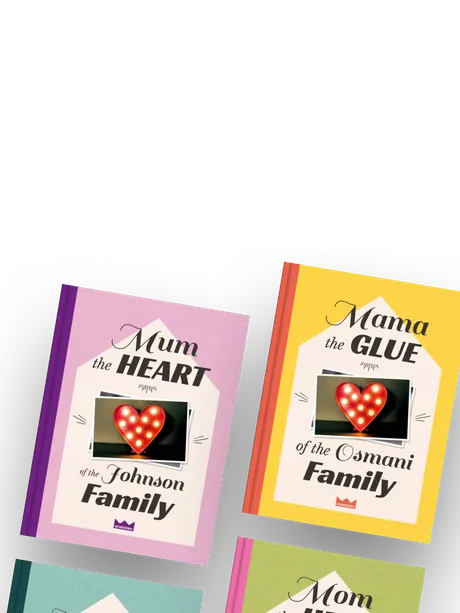
Work

Wonderbly - Family Hero Mum

Personalised bookWeb application

Family Hero Mum from Wonderbly—a web-to-print web application that combines stunning book design and great copy with advanced functionality, allowing the user to create their own personalised book effortlessly.

Client:

Wonderbly

My role:

Front end developmentSolution consultancy

Key tech:

  • Web-to-print
  • Sass & CSS
  • Pug.js
  • Node.js
  • Jest
  • Test-driven development
  • Localised content (UK and US English)

Overview

After browsing the book’s landing page on the Wonderbly website, the user clicks “Personalise my book” (or “Personalize my book” depending on the territory) to launch a web application that allows the user to personalise their book using a mixture of choosing from predefined options, writing their own text and uploading their own photos.

The web application displays a visual preview for each page in the book, using Node.js, Pug.js, Sass and dynamic SVGs, with the previews being rendered on a separate server via an API call.
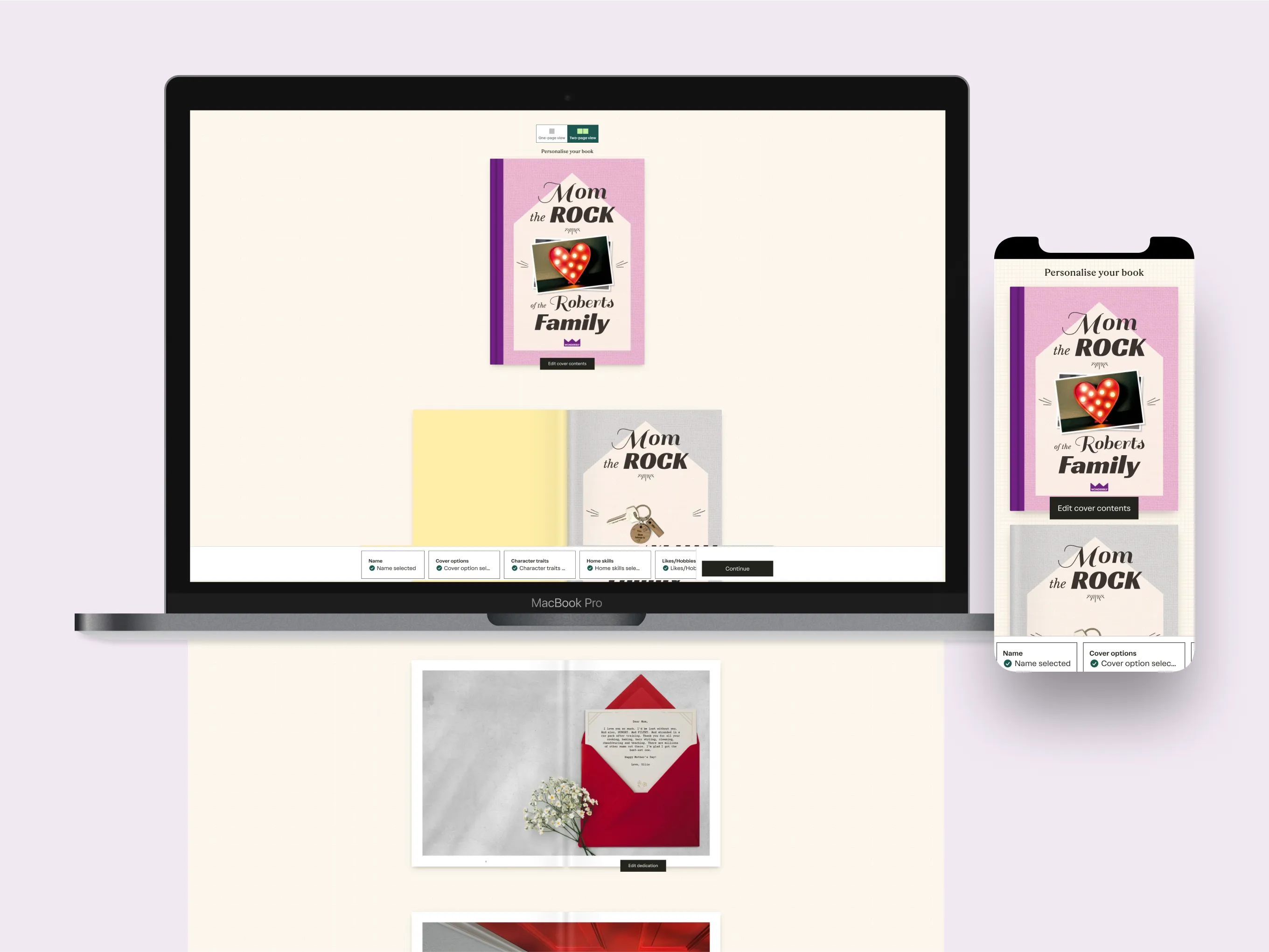
Family Hero Mum personalisation interface on desktop and mobile, with the book cover in focus

Family Hero Mum personalisation interface on desktop and mobile, with the book cover in focus

Choosing personalisation options to describe the hero of the book
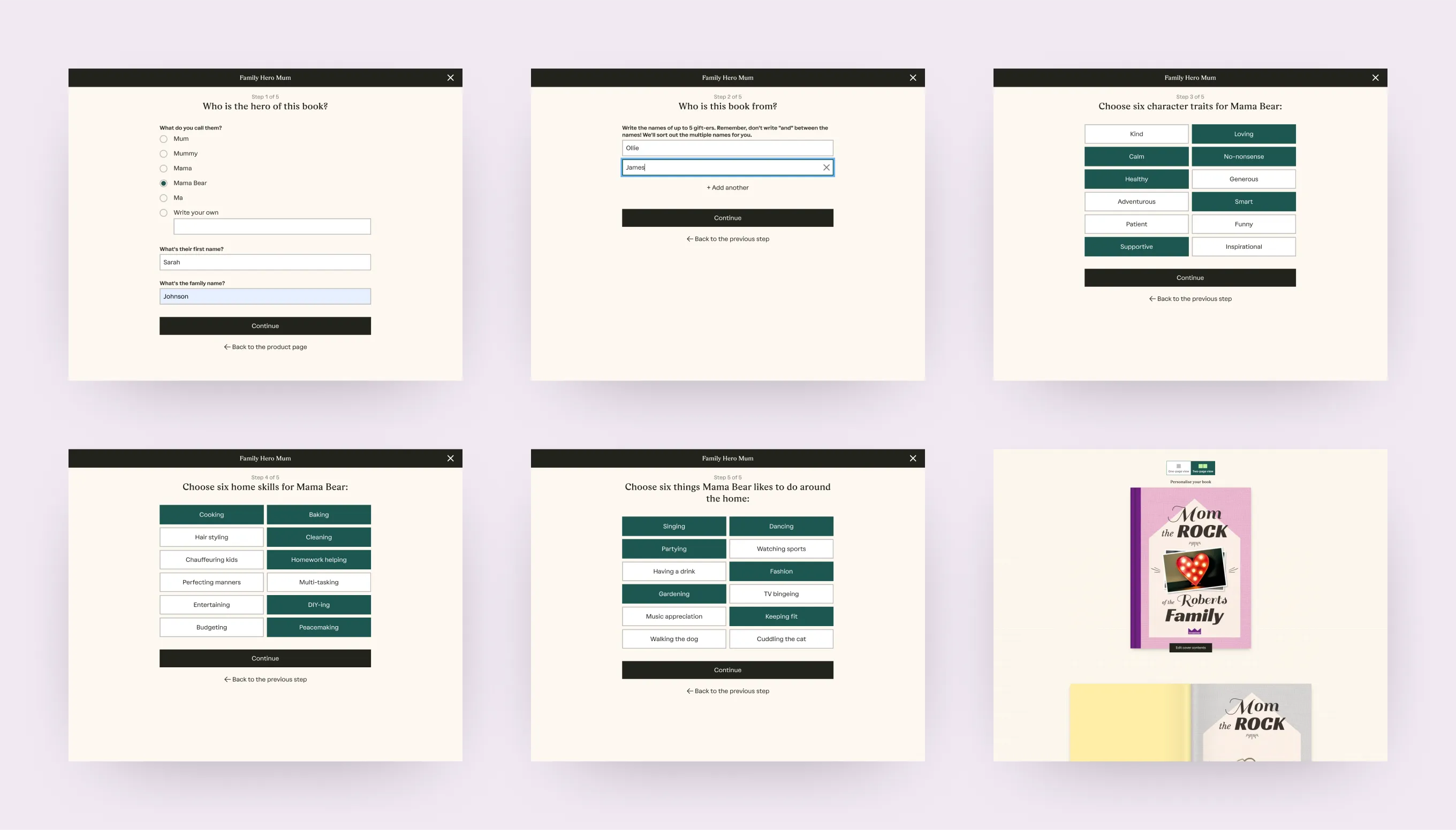
At the start of the personalisation experience, the user is presented with a simple form where they configure key content and options that get referenced by the functionality that generates the preview for each page of the book. For instance, they choose a term the “hero” of the book e.g. “mum” (or “mom” for the US and Canadian version of the book), add up to 5 gifter names and then choose 6 character traits, 6 skills and 6 likes for the hero.
The different stages in the initial personalisation flow for the Family Hero Mum book where the user describes the hero of the book

The different stages in the initial personalisation flow for the Family Hero Mum book where the user describes the hero of the book

Page-specific personalisation
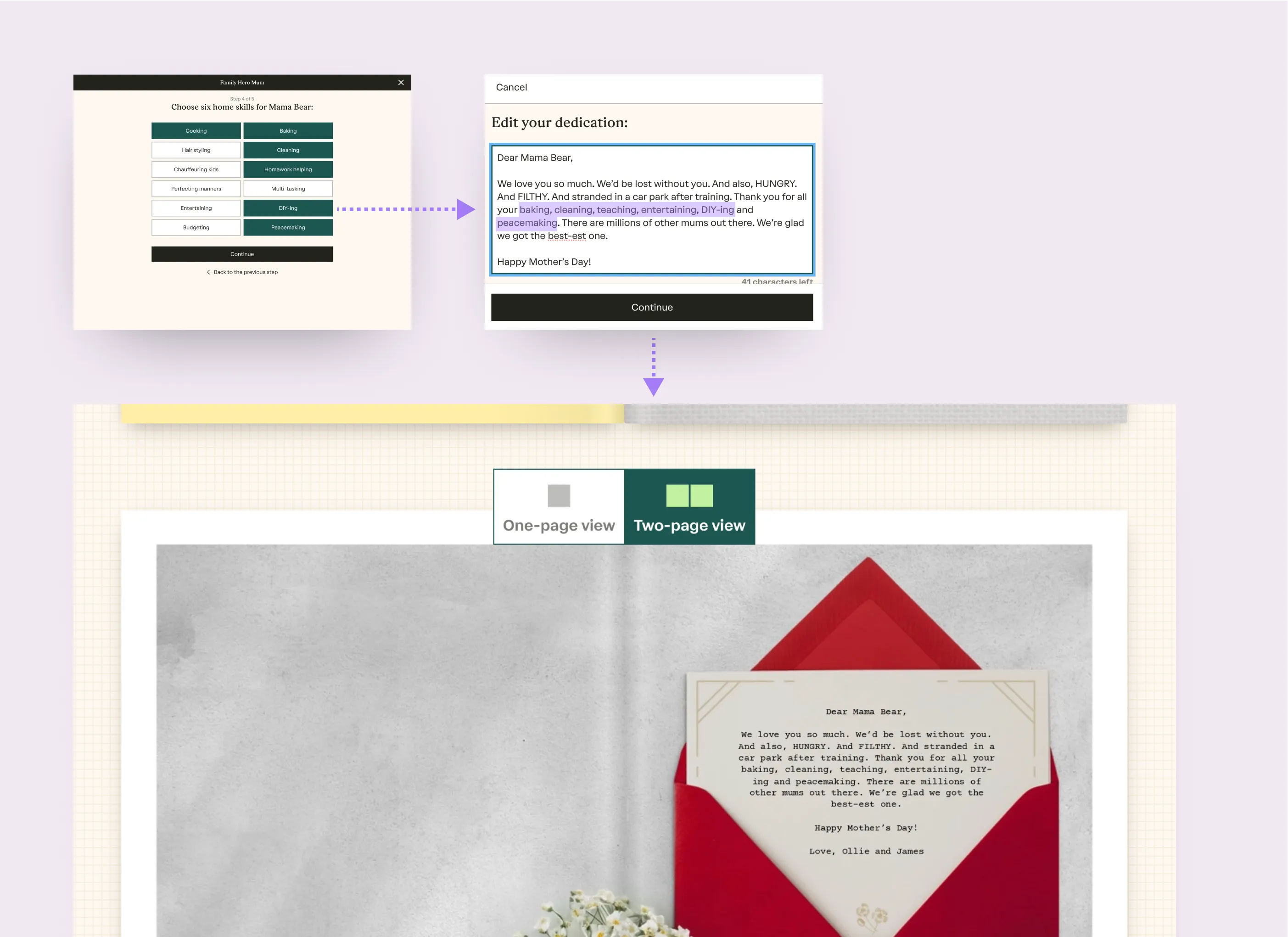
Each page has a unique design, often requiring a tailored approach to implementing the visuals, which depends on the level of personalisation for that page. Some pages have simple personalisation that combines the copy for the page with the user’s choices from the start of the personalisation flow (e.g. when they they choose a term the “hero of the book”); other pages include more complex personalisation functionality that uses the 6 character traits / skills / likes from the start of the personalisation experience to dynamically output relevant text within the content that the user can then modify.
An illustration showing an example of how the user’s choice for the hero’s skills in the initial personalisation flow are used in the Dedication spread within the book

An illustration showing an example of how the user’s choice for the hero’s skills in the initial personalisation flow areused in the Dedication spread within the book

Content-specific text sizing
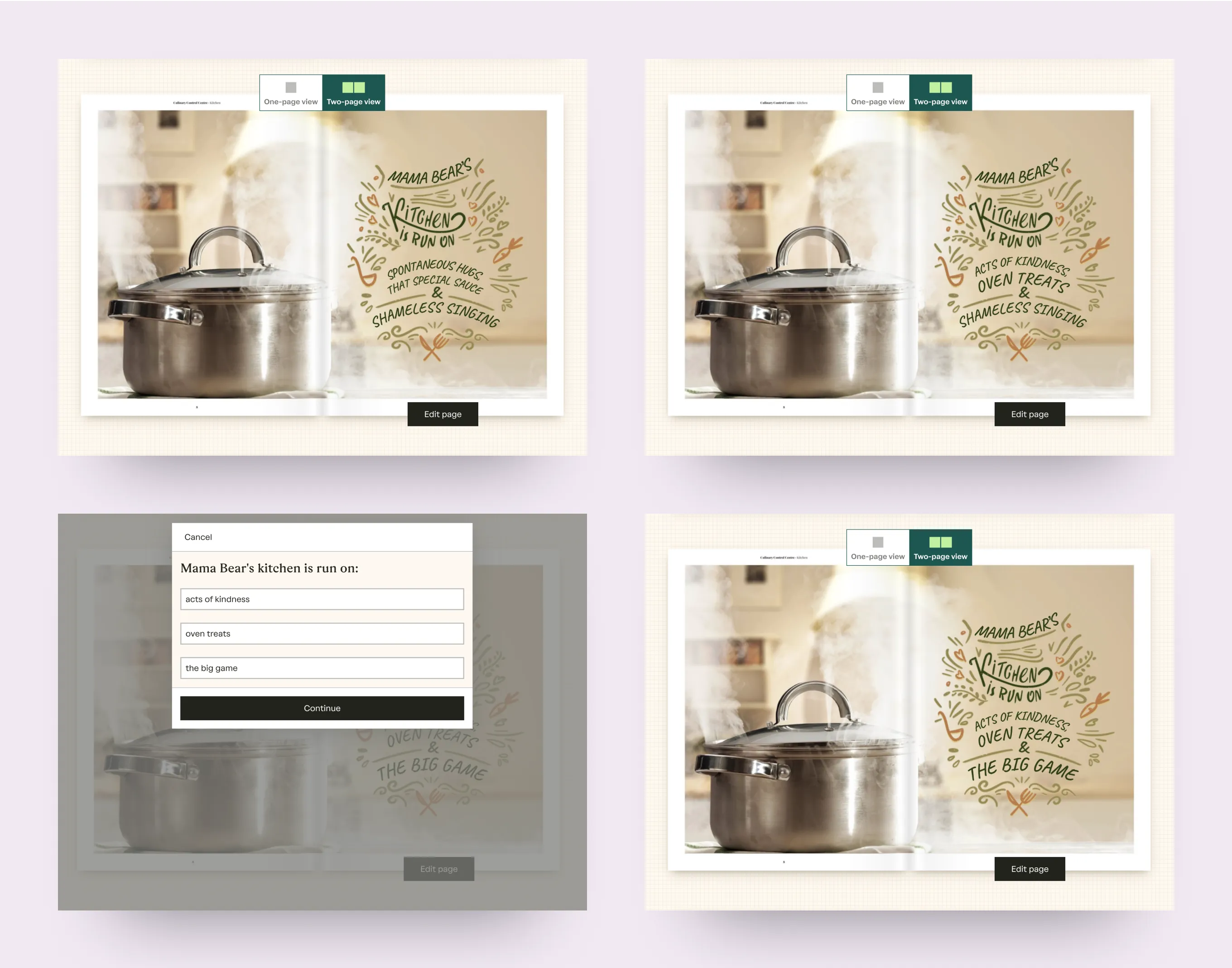
Some pages, like ths “Kitchen” spread render dynamic text within very stylised designs. As the text can vary a lot but there’s a fixed amount of space available, the text size within the SVG is adjusted, along with other things like vertical positioning.
Examples showing different combinations of text for the Kitchen spread

Examples showing different combinations of text for the Kitchen spread

Get in touch

Whether you’d like to hire me, or would like to just talk through your project, the best way to get in touch is via LinkedIn.